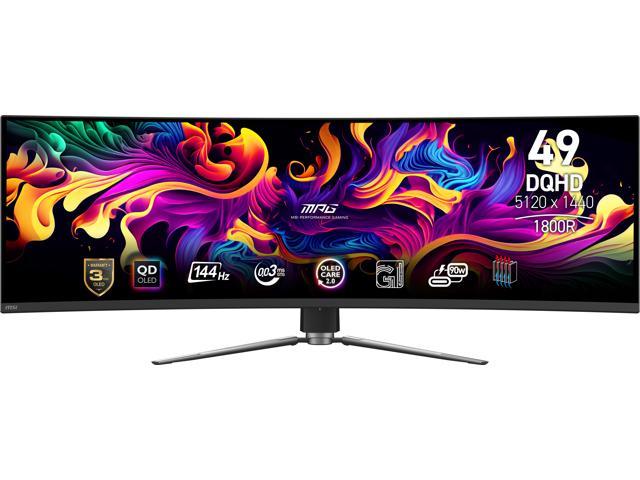
MSI MPG 491CQP QD-OLED 49" (5120×1440, 144Hz)
Why this one: Productivity scales with pixels, and this is the most workspace-per-dollar in monitors: 5120×1440 is two full 27" QHD monitors of desktop with no bezel seam, on a QD-OLED panel whose contrast makes text and windows pop. At its recurring sale price (~$750–850) it costs less than most 49" IPS panels while carrying a dramatically better panel — and 144Hz smoothness is a free bonus.
What it beat: Dell U4924DW ($1,150+) — burn-in-proof IPS and a built-in KVM, but hundreds more for a visibly worse image; the KVM matters to far fewer people than the panel does. Samsung's Odyssey OLED G9 runs the same panel class for ~$300 more.
Tighter budget? A VA-panel 49" (Samsung G9 base, ~$700 on sale) if OLED anxiety wins, or two separate 27" QHD monitors (~$400 total) if a bezel doesn't bother you.
The honest trade-off: static taskbars and window edges 8 hours a day is the textbook OLED burn-in scenario. MSI counters with pixel-shift/panel-protect features and a 3-year warranty that explicitly covers burn-in — that coverage is why this scores 4 and not 3. Auto-hide the taskbar, use dark mode, and it's a managed risk.
Common concerns (4)
- Burn-in doing office work all day? — The realistic risk, mitigated by the 3-year burn-in warranty, auto-hidden taskbars, dark mode, and MSI's panel-care cycles. If your screen shows one static dashboard 24/7, buy IPS instead.
- Text clarity? — QD-OLED subpixel fringing exists but at this pixel density (~109 ppi, same as a 27" QHD) it's minor at normal viewing distance.
- Losing the Dell's KVM? — A $30 USB switch replicates it if you drive two computers; don't pay $300+ for one built in.
- Will my laptop drive it? — 5120×1440@144Hz wants DisplayPort; over USB-C/HDMI expect 60–120Hz depending on the machine — fine for work.